A quote is a proposal for your customer. It can be for a rental or for a sale, you share it with a link, the customer accepts or rejects it, and once accepted you convert it into an operation without re-entering anything.
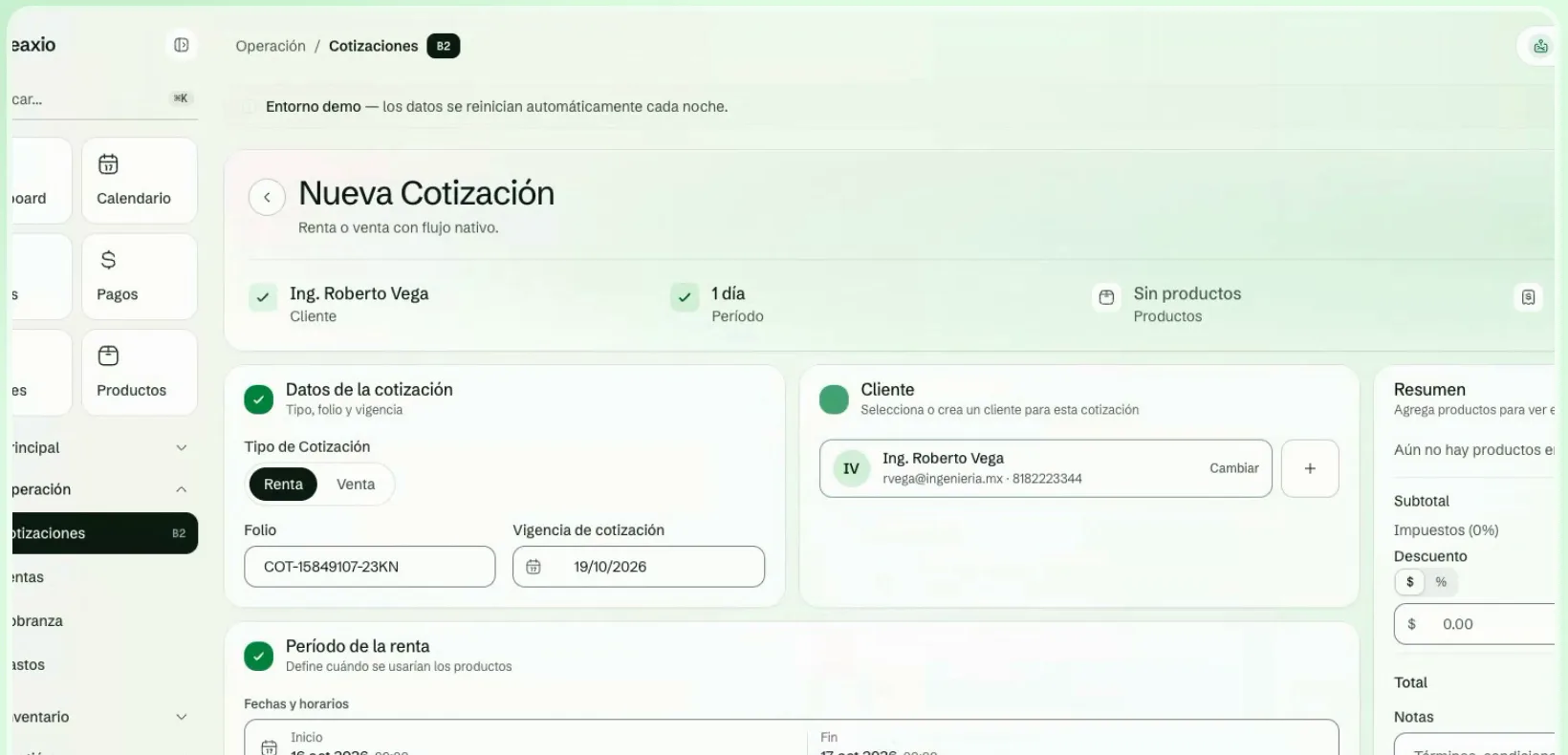
Create a quote
- Go to Quotes and click New Quote. You can also use Quick Quote from the quick actions in the sidebar.
- Choose the type (Rental or Sale) and the customer.
- Add the products or packages. For a rental, also set the dates.
- If needed, add additional services such as delivery or installation.
- Save. The quote stays as a Draft.
Quote statuses
| Status | What it means |
|---|---|
| Draft | You have not sent it yet. |
| Sent | It is with the customer. |
| Viewed | The customer has opened the link. |
| Accepted | Ready to convert. |
| Rejected | The customer rejected it; it cannot be converted. |
| Expired | It passed its expiration date. Create a new one if the customer still wants to go ahead. |
| Converted | It is already a rental or a sale. Open the operation from the quote. |
| Cancelled | You cancelled it; the link no longer accepts responses. |
Send and share
- Send moves the quote from Draft to Sent. Only draft quotes can be sent.
- Copy client link gives you the public link to send through whatever channel you prefer. The customer reviews it and, if they accept, draws their acceptance signature.
- Generate Quote PDF creates a document you can open or download.
Record the customer's response
When the customer responds from the link, the quote changes to Accepted or Rejected on its own and you see their response in the detail. If they answered you some other way, you can use Accept or Reject yourself (only for Sent or Viewed quotes).
Convert to a rental or a sale
- Open an Accepted quote and click Convert.
- Confirm. Leaxio creates the rental or the sale with the quote's data.
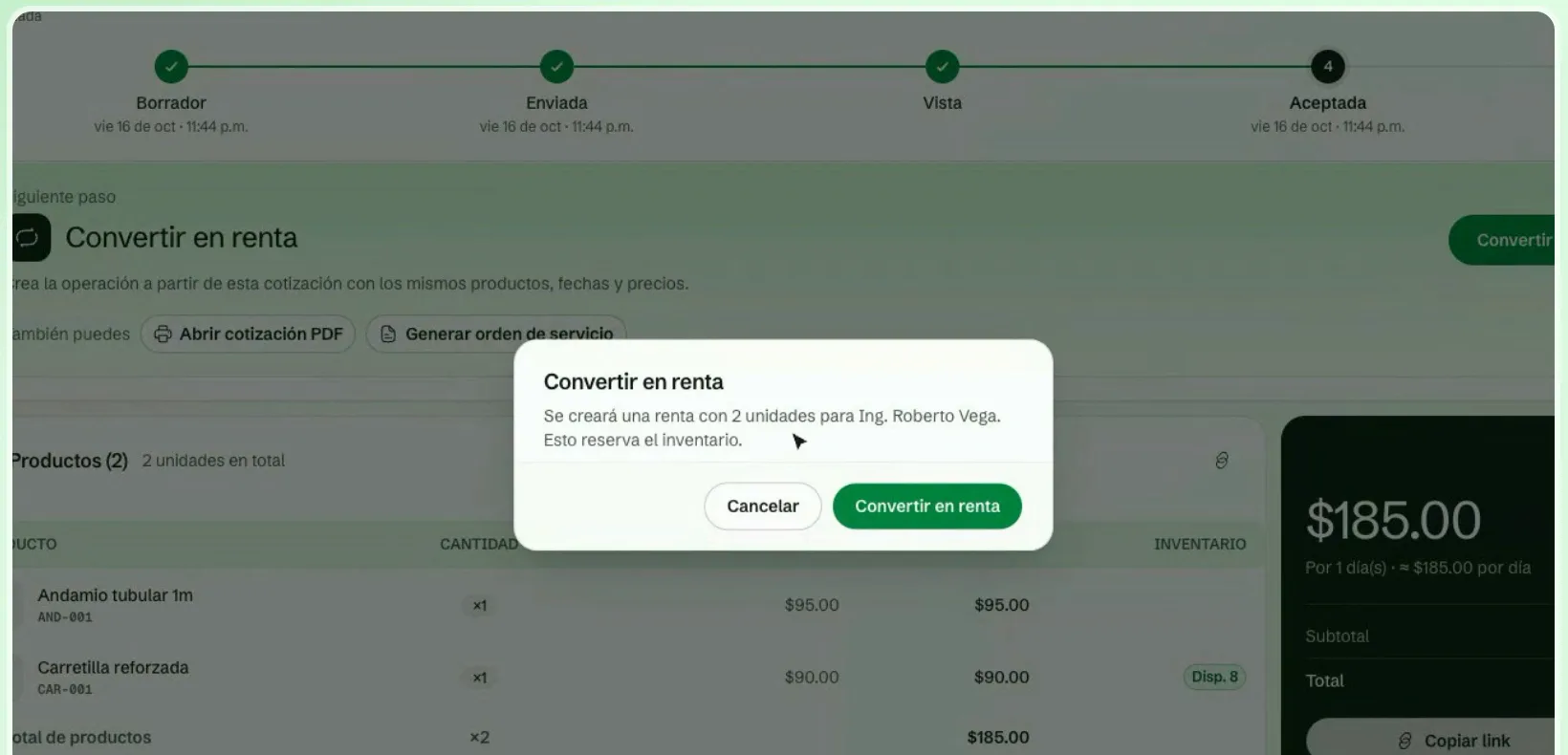
Before converting, Leaxio checks inventory. If there is not enough, it shows you, product by product, how many were requested and how many are available, and it will not convert until you sort it out.
If the customer accepts with their signature from the link, the rental is created automatically and stays in preparation. When inventory is short, the quote stays accepted and someone on your team must confirm inventory and create the rental manually.
Cancel or reject
- Cancel changes the status to Cancelled and the public link stops accepting responses. It cannot be undone.
- Reject records that the customer did not accept it and prevents conversion.
Measure how you are doing
Above the list you see how many quotes are still in the pipeline (Sent or Viewed), the won value (Accepted and Converted), the average ticket and the conversion as a percentage of the quotes already decided.
Next step
See Rentals for the journey of a rental once it is created, or Calendar to check availability before quoting.