Your customers are the people or companies you rent to. Having them registered lets you create rentals in seconds and see their history.
Add a customer
- Go to Customers in the sidebar.
- Create a new customer.
- Enter their contact details and save.
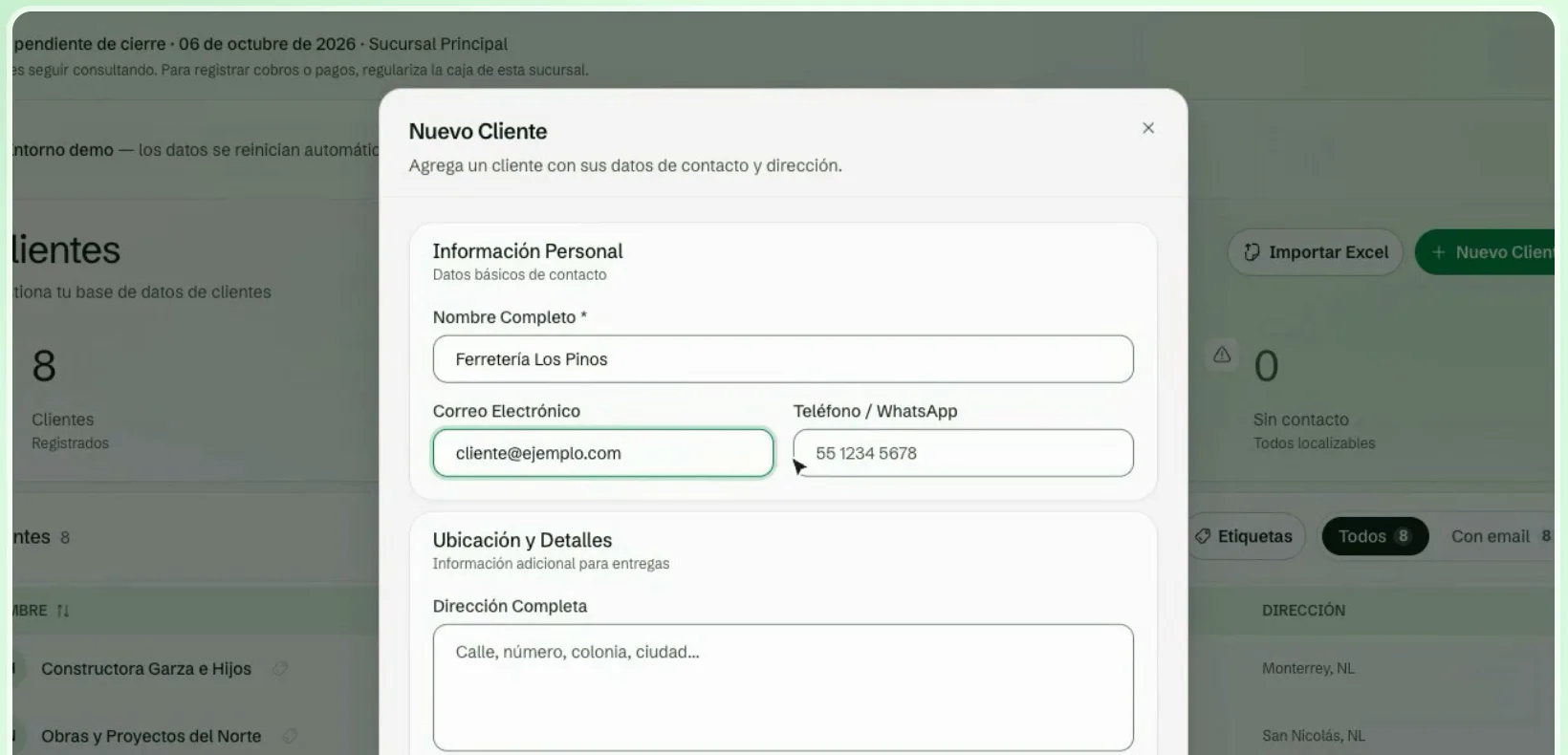
You can also create a customer on the spot, from the New Rental form, if they do not exist yet.
Import customers from Excel or CSV
If you already have your customer list in a spreadsheet, import it whole. Bulk customer import is available from the Negocio plan.
- In Customers, click Import.
- Upload your file as CSV or Excel (.xlsx) with the columns you want to import.
- Map the columns. Match each Leaxio field to a column in your file. Fields marked with an asterisk (*) are required.
- Review and import. Leaxio validates the file and shows the valid rows and the ones with errors. Only rows without errors are imported.
Duplicates
Turn on Skip duplicate emails so Leaxio does not create a new customer when one with the same email already exists.
Next step
With products and customers loaded, you can now create your first rental. See Rentals.